Purpose: To help learners, teachers and school communities gain practical digital skills they can use in school and everyday life.
We visit schools and organise digital camps, lessons and practical sessions with learners. We also engage teachers, headteachers and other school staff because they are important to keeping digital learning going after a camp or training session has ended. Activities can be arranged with a school to suit its timetable, learners' ages and the devices available.
Sessions are practical. Participants are given time to use devices, practise tasks, ask questions and learn at a pace that suits their experience. We work with the equipment and connectivity available, and adapt activities where schools have limited resources.
In the field
What this work looks like
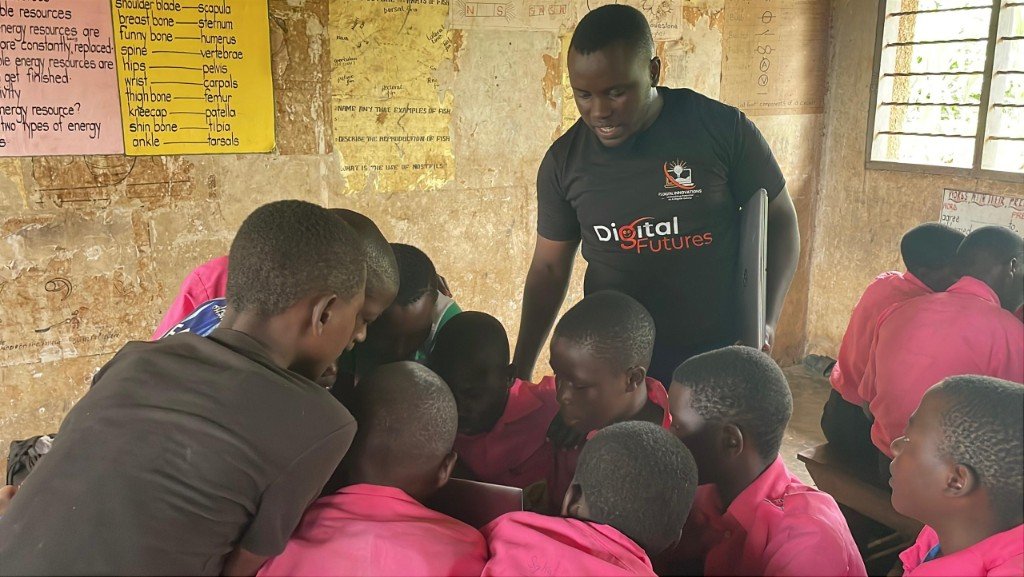
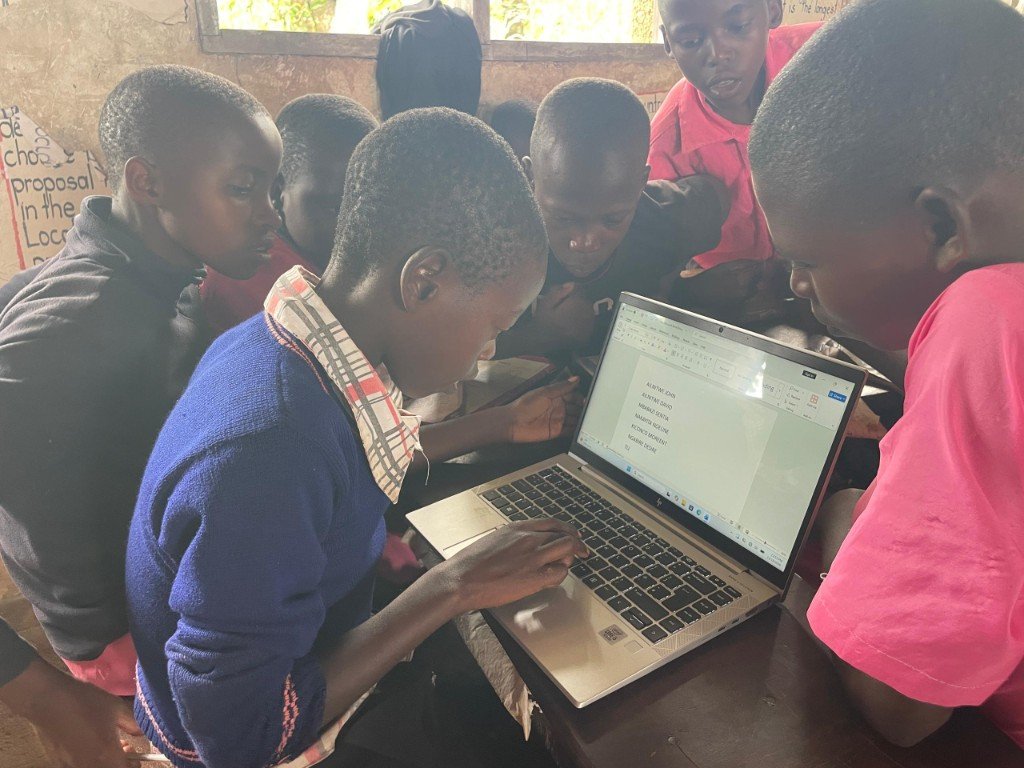
A facilitator leading practical digital skills in a school classroom.Teachers and learners working through shared laptop activities together.
What we teach and practise
Computer basics: identifying the parts of a computer, understanding what they do, switching devices on and off and handling equipment carefully.
Mouse and keyboard skills: clicking, scrolling, selecting, dragging and typing.
Using a computer: opening programmes, navigating the desktop, saving work, creating folders and finding files.
Typing and documentation: preparing simple letters, school assignments, lists and other documents; editing and formatting text.
Office applications: introductions to word processing, spreadsheets and presentations, based on the learners' level and available devices.
Internet and information: understanding how to search for information, use websites and identify information that may be misleading.
Digital safety: protecting passwords and personal information, recognising suspicious links and communicating respectfully online.
Creative and problem-solving activities: drawing, making simple presentations, exploring educational software and completing age-appropriate digital tasks.
STEM foundations: exploring science, technology, engineering and mathematics ideas through practical digital projects linked to school subjects.
Introductory coding: beginner coding activities that build logical thinking and problem-solving.
Robotics: hands-on robotics activities, where equipment allows, connecting instructions to movement, sensors and simple machines.
AI awareness: age-appropriate introductions to artificial intelligence and responsible use of smart digital tools.
Working with teachers and school leaders
We help teachers practise basic computer use, prepare teaching and learning materials, organise information and explore suitable digital resources. We also work with school leaders on practical ways to use available technology for communication, records and school administration.
How it happens
Learners work directly with devices in guided sessions. Where there are fewer computers than learners, they can take turns or work in small groups. We encourage practice and follow-up so that learners have a chance to use the skills again.
Who this is for
Primary and secondary school learners
Teachers and headteachers
School administrators and other members of the school community
How it connects
School Digital Learning is one pathway of our Digital Learning programme. Digital Rangers help mobilise learners and maintain contact with teachers and families. Schools may also work with our Education Technology programme on digital learning materials.
We take opportunities to the people
Explore the rest of our programmes and projects, or get in touch about a school or community visit.